

...

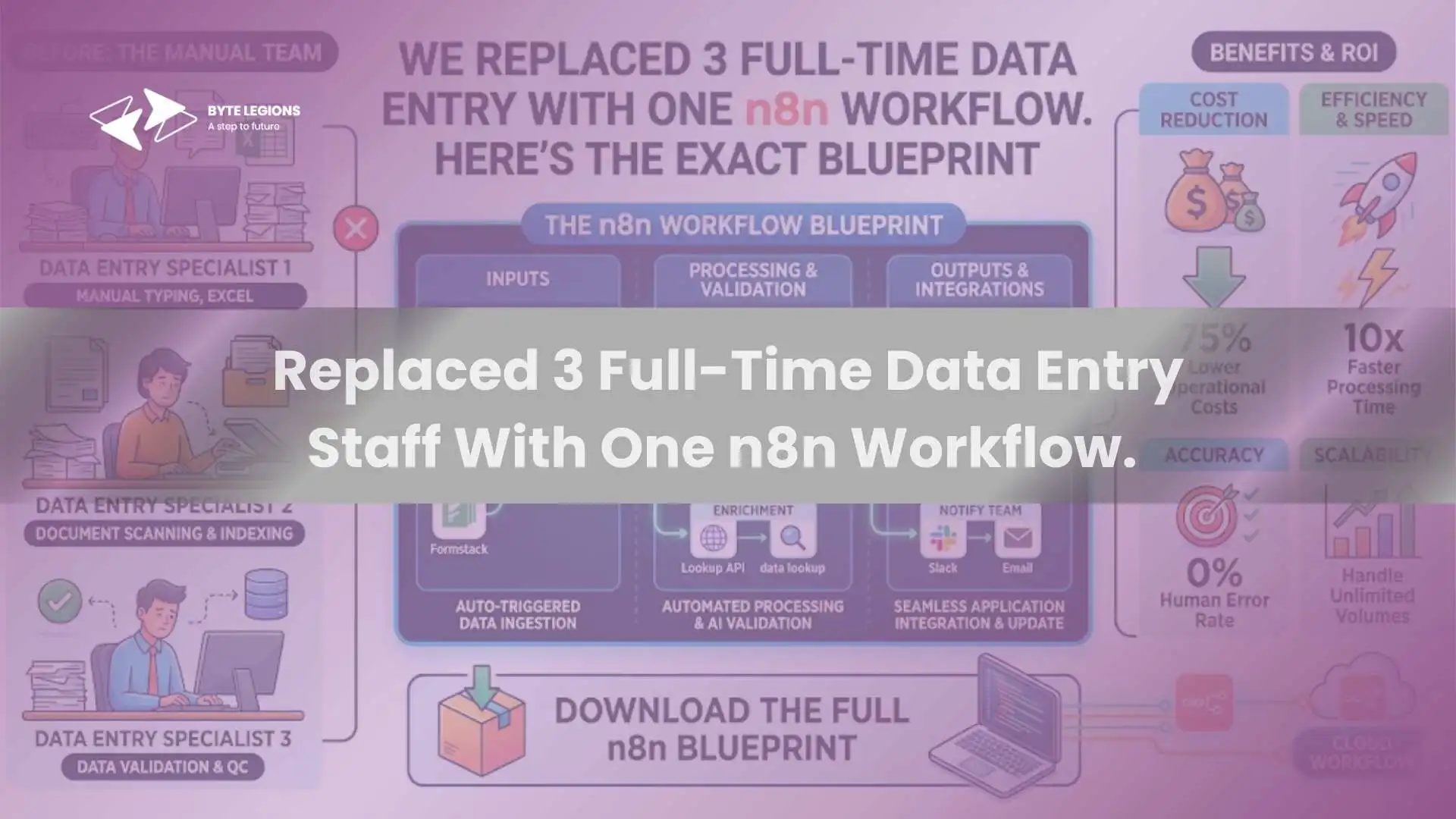
We Replaced 3 Full-Time Data Entry Staff With One n8n Workflow.

With the right odoo implementation services, businesses can connect tools like n8n with Odoo to reduce manual data entry, automate daily workflows, and improve operational accuracy.

Every growing business hits a point where manual data entry becomes the silent bottleneck. Orders come in from one channel, customer records live in another, and inventory updates require someone to copy numbers between spreadsheets and the ERP. That was exactly the situation one of our clients faced before we stepped in. As the best odoo integration partner they had worked with, Byte Legions was tasked with eliminating the repetitive data work that was eating up three full-time salaries every month.

The solution was not another hire or a custom Python script running on a cron job. It was a single n8n workflow connected directly to Odoo, handling everything those three employees used to do, running 24/7 without sick days, typos, or Monday morning slowdowns. In this article, we break down the exact blueprint so you can evaluate whether a similar approach fits your business.

The Problem: Manual Data Entry Was Bleeding Us Dry

The client, a mid-sized wholesale distributor, ran Odoo 19 Enterprise as their core ERP. Orders arrived from three sources: a Shopify storefront, email purchase orders from B2B clients, and a custom web portal. Each source had its own format and required someone to manually create sale orders, update customer records, and adjust stock levels inside Odoo.

The annual cost of maintaining three data entry staff, including salaries, benefits, training, and error correction, exceeded $120,000. Worse, the human error rate on manual ERP data entry hovered around 3 to 4 percent, which translated into shipping mistakes, billing disputes, and hours of reconciliation every week.

What 3 Full-Time Staff Actually Did Every Day

Breaking down their daily tasks revealed a pattern that screamed for business process automation. Staff Member A processed Shopify orders into Odoo sale orders, matched customers, and confirmed delivery addresses. Staff Member B handled B2B email purchase orders by reading PDFs, extracting line items, and creating sale orders manually. Staff Member C managed inventory updates, syncing stock between Shopify and Odoo, and flagging low-stock items for reorder.

Each person spent roughly 6 hours per day on pure data synchronization tasks. The remaining 2 hours went to fixing errors from the previous day. This cycle of entry, error, and correction is painfully common in companies that have outgrown spreadsheets but have not yet invested in workflow automation.

Why We Chose n8n Over Other Automation Platforms

We evaluated Zapier, Make (formerly Integromat), and n8n. The decision came down to three factors: cost at scale, self-hosting capability, and native Odoo support.

Zapier charges per task, and a workflow with 10 steps counts as 10 tasks. For a client processing 200 to 300 orders per day across multiple channels, the monthly Zapier bill would have exceeded $500. n8n charges per workflow execution regardless of step count, and a self-hosted instance on a VPS runs for $15 to $25 per month. The cost difference over 12 months was significant enough to make the decision easy.

Self-Hosted, Open Source, and Odoo-Ready

n8n is a self-hosted automation platform with over 400 built-in integrations, including a native Odoo node that communicates through the XML-RPC API. This means no custom middleware, no third-party connectors with hidden fees, and full control over data. For businesses in regulated industries or those with strict data residency requirements, the ability to run the entire automation stack on your own infrastructure is a major advantage.

The drag-and-drop workflow builder also made it practical for the client’s internal team to monitor and tweak workflows without needing a developer for every small change. That low-code automation approach reduced long-term dependency on external consultants for routine adjustments.

The Blueprint: How the n8n-Odoo Workflow Works

Here is the exact architecture we built. The workflow runs as a single n8n pipeline with four distinct stages.

Step 1. Capturing Incoming Data via Webhooks

Each data source feeds into n8n through webhook triggers. Shopify sends order data via its native webhook on order creation. B2B email purchase orders land in a dedicated Gmail inbox, where n8n polls every 5 minutes and extracts PDF attachments. The custom web portal fires a POST request to an n8n webhook endpoint whenever a new order is submitted.

All three channels converge into a single n8n workflow. The first node identifies the source and routes the payload to the correct transformation branch. This cross-platform integration pattern keeps the architecture clean and avoids building separate workflows for each channel.

Step 2. Transforming and Validating the Data

Raw incoming data is messy. Shopify sends product SKUs in one format, the B2B PDFs use internal part numbers, and the web portal has its own product codes. The transformation stage normalizes all incoming data into a consistent schema that maps directly to Odoo’s sale order model.

For B2B email orders, we added an AI-powered extraction step using an LLM node that reads the PDF, identifies line items, quantities, and pricing, then outputs structured JSON. This replaced what used to take Staff Member B 15 to 20 minutes per order. The n8n Function node then validates each record, checking for required fields, valid customer IDs, and matching product references against the Odoo product catalog via an API integration call.

Step 3. Pushing Data Into Odoo via XML-RPC API

The validated data flows into the n8n Odoo node. The workflow performs a sequence of operations: first, it searches for the customer in Odoo by email or company name. If no match exists, it creates a new res.partner record. Then it creates the sale order with all line items, applies the correct pricelist, and confirms the order. For inventory management automation, a parallel branch updates stock quantities in Odoo based on Shopify’s inventory webhooks. When stock drops below a configured threshold, the workflow automatically creates a purchase order draft in Odoo for the supplier, replicating what Staff Member C used to do manually every morning. Here is a simplified view of the Odoo node configuration for sale order creation:
json
{ "resource": "Custom Resource", "operation": "Create", "model": "sale.order", "fields": { "partner_id": "{{ $json.odoo_partner_id }}", "order_line": [ [0, 0, { "product_id": "{{ $json.product_id }}", "product_uom_qty": "{{ $json.quantity }}", "price_unit": "{{ $json.unit_price }}" }] ] } }

Step 4. Error Handling and Human-in-the-Loop Approval

No automation system should run blindly. We built a human error reduction layer directly into the workflow. If any validation check fails, such as an unrecognized SKU, a missing customer email, or a price mismatch above 10 percent, the workflow pauses and sends a Slack notification to the operations manager with the full order details and a one-click approve or reject button.

This human-in-the-loop pattern catches edge cases that pure automation would either reject or process incorrectly. It also gives the client confidence that high-value or unusual orders still get a human review. The error rate dropped from 3 to 4 percent under manual processing to under 0.5 percent with the automated workflow.

Results After 6 Months: The Real Numbers

The automation ROI was measurable within the first 90 days. Here is what the numbers looked like after six months of running the n8n workflow in production.

Processing time per order dropped from 4 to 5 minutes down to approximately 15 seconds. Monthly labor cost savings exceeded $8,000 after reallocating two of the three staff members to customer-facing roles that generated revenue instead of just managing data. The third staff member was retained as the workflow supervisor, handling the Slack escalations and monitoring the n8n dashboard.

Order accuracy improved from roughly 96 percent to over 99.5 percent. The client also gained 24/7 operational efficiency, with orders placed at 2 AM on the web portal being processed and confirmed in Odoo before the warehouse team arrived the next morning.

When n8n Replaces Staff and When It Does Not

n8n excels at replacing structured, repetitive, rule-based data tasks. If the work involves copying data between systems, validating fields against known rules, or triggering actions based on predictable events, it is a strong candidate for automation.

It does not replace work that requires judgment, negotiation, creative problem-solving, or relationship management. The client’s data entry staff were not let go. Two of them moved into customer success roles where their deep knowledge of order patterns and client preferences made them more valuable than they had ever been behind a keyboard entering data.

If your team is spending more than 20 hours per week on tasks that involve moving data between systems, the question is not whether to automate. It is how soon you can start. For businesses already using Odoo, the combination with n8n is one of the most practical paths to digital transformation available today.

If you want to explore how Odoo Studio’s low-code capabilities complement this kind of automation, check out our detailed guide on mastering Odoo 19 Studio for low-code and AI customization.

How to Start Building Your Own n8n-Odoo Workflow

Start with a workflow audit. List every repetitive data task your team performs weekly, estimate the time each one takes, and calculate the monthly cost. Prioritize the top three by volume and error impact.

Next, set up a self-hosted n8n instance. A basic VPS with 2 GB of RAM is enough to start. Connect it to your Odoo instance using the native Odoo node and XML-RPC credentials. Build a small proof-of-concept workflow, such as syncing new Shopify orders into Odoo, and run it in parallel with manual processing for two weeks to validate accuracy.

Once confident, expand the workflow to cover additional channels and add error handling, logging, and Slack notifications. The entire setup, from audit to production deployment, typically takes 2 to 4 weeks depending on the number of data sources and complexity of validation rules.

If you want expert help designing and deploying an n8n-Odoo automation pipeline tailored to your business, Book a Consultation with the Byte Legions team to map out your automation roadmap and start saving operational hours within weeks.

Conclusion

Replacing three full-time data entry roles with a single n8n workflow was not about cutting jobs. It was about redirecting human effort toward work that actually requires a human. The combination of n8n’s visual workflow builder and Odoo’s robust ERP backbone creates an automation layer that handles high-volume, repetitive data tasks with speed and accuracy that manual processes simply cannot match. For technical consultants and business owners evaluating Odoo CRM data sync, order processing, or inventory updates, this blueprint provides a proven, cost-effective starting point. The tools are mature, the integration path is well-documented, and the ROI speaks for itself.

Frequently Asked Questions (FAQs)

1. Does n8n have a native Odoo integration?

Yes. n8n includes a built-in Odoo node that connects through the XML-RPC API. It supports operations on contacts, opportunities, notes, and custom resources, giving you full CRUD access to your Odoo database without writing custom middleware.

2. How much does it cost to run n8n compared to Zapier for Odoo automation?

A self-hosted n8n instance runs on a VPS for approximately $15 to $25 per month with unlimited workflow executions. Zapier charges per task, and a multi-step workflow processing hundreds of orders daily can easily exceed $500 per month. For businesses with high transaction volumes, n8n offers a dramatically lower cost of ownership.

3. Can n8n handle complex data transformation before pushing records into Odoo?

Absolutely. n8n supports JavaScript and Python code nodes inside any workflow, allowing you to normalize data formats, map product SKUs, validate fields, and even use AI-powered extraction for unstructured documents like PDF purchase orders before sending clean data to Odoo.

4. Is n8n secure enough for production ERP workflows?

n8n can be fully self-hosted, meaning your data never leaves your infrastructure. It supports secrets management through AWS Secrets Manager, Azure Key Vault, and HashiCorp Vault. Combined with SOC 2 compliance on the cloud version, it meets the security requirements of most production ERP environments.

5. How long does it take to build and deploy an n8n-Odoo automation workflow?

A typical proof-of-concept covering one data channel takes about 1 to 2 weeks. A full production deployment handling multiple sources with error handling, validation, and human-in-the-loop approvals usually takes 2 to 4 weeks depending on the complexity of your business rules and the number of integrations involved.

With the right odoo implementation services, businesses can connect tools like n8n with Odoo to reduce manual data entry, automate daily workflows, and improve operational accuracy.

Every growing business hits a point where manual data entry becomes the silent bottleneck. Orders come in from one channel, customer records live in another, and inventory updates require someone to copy numbers between spreadsheets and the ERP. That was exactly the situation one of our clients faced before we stepped in. As the best odoo integration partner they had worked with, Byte Legions was tasked with eliminating the repetitive data work that was eating up three full-time salaries every month.

The solution was not another hire or a custom Python script running on a cron job. It was a single n8n workflow connected directly to Odoo, handling everything those three employees used to do, running 24/7 without sick days, typos, or Monday morning slowdowns. In this article, we break down the exact blueprint so you can evaluate whether a similar approach fits your business.

The Problem: Manual Data Entry Was Bleeding Us Dry

The client, a mid-sized wholesale distributor, ran Odoo 19 Enterprise as their core ERP. Orders arrived from three sources: a Shopify storefront, email purchase orders from B2B clients, and a custom web portal. Each source had its own format and required someone to manually create sale orders, update customer records, and adjust stock levels inside Odoo.

The annual cost of maintaining three data entry staff, including salaries, benefits, training, and error correction, exceeded $120,000. Worse, the human error rate on manual ERP data entry hovered around 3 to 4 percent, which translated into shipping mistakes, billing disputes, and hours of reconciliation every week.

What 3 Full-Time Staff Actually Did Every Day

Breaking down their daily tasks revealed a pattern that screamed for business process automation. Staff Member A processed Shopify orders into Odoo sale orders, matched customers, and confirmed delivery addresses. Staff Member B handled B2B email purchase orders by reading PDFs, extracting line items, and creating sale orders manually. Staff Member C managed inventory updates, syncing stock between Shopify and Odoo, and flagging low-stock items for reorder.

Each person spent roughly 6 hours per day on pure data synchronization tasks. The remaining 2 hours went to fixing errors from the previous day. This cycle of entry, error, and correction is painfully common in companies that have outgrown spreadsheets but have not yet invested in workflow automation.

Why We Chose n8n Over Other Automation Platforms

We evaluated Zapier, Make (formerly Integromat), and n8n. The decision came down to three factors: cost at scale, self-hosting capability, and native Odoo support.

Zapier charges per task, and a workflow with 10 steps counts as 10 tasks. For a client processing 200 to 300 orders per day across multiple channels, the monthly Zapier bill would have exceeded $500. n8n charges per workflow execution regardless of step count, and a self-hosted instance on a VPS runs for $15 to $25 per month. The cost difference over 12 months was significant enough to make the decision easy.

Self-Hosted, Open Source, and Odoo-Ready

n8n is a self-hosted automation platform with over 400 built-in integrations, including a native Odoo node that communicates through the XML-RPC API. This means no custom middleware, no third-party connectors with hidden fees, and full control over data. For businesses in regulated industries or those with strict data residency requirements, the ability to run the entire automation stack on your own infrastructure is a major advantage.

The drag-and-drop workflow builder also made it practical for the client’s internal team to monitor and tweak workflows without needing a developer for every small change. That low-code automation approach reduced long-term dependency on external consultants for routine adjustments.

The Blueprint: How the n8n-Odoo Workflow Works

Here is the exact architecture we built. The workflow runs as a single n8n pipeline with four distinct stages.

Step 1. Capturing Incoming Data via Webhooks

Each data source feeds into n8n through webhook triggers. Shopify sends order data via its native webhook on order creation. B2B email purchase orders land in a dedicated Gmail inbox, where n8n polls every 5 minutes and extracts PDF attachments. The custom web portal fires a POST request to an n8n webhook endpoint whenever a new order is submitted.

All three channels converge into a single n8n workflow. The first node identifies the source and routes the payload to the correct transformation branch. This cross-platform integration pattern keeps the architecture clean and avoids building separate workflows for each channel.

Step 2. Transforming and Validating the Data

Raw incoming data is messy. Shopify sends product SKUs in one format, the B2B PDFs use internal part numbers, and the web portal has its own product codes. The transformation stage normalizes all incoming data into a consistent schema that maps directly to Odoo’s sale order model.

For B2B email orders, we added an AI-powered extraction step using an LLM node that reads the PDF, identifies line items, quantities, and pricing, then outputs structured JSON. This replaced what used to take Staff Member B 15 to 20 minutes per order. The n8n Function node then validates each record, checking for required fields, valid customer IDs, and matching product references against the Odoo product catalog via an API integration call.

Step 3. Pushing Data Into Odoo via XML-RPC API

The validated data flows into the n8n Odoo node. The workflow performs a sequence of operations: first, it searches for the customer in Odoo by email or company name. If no match exists, it creates a new res.partner record. Then it creates the sale order with all line items, applies the correct pricelist, and confirms the order. For inventory management automation, a parallel branch updates stock quantities in Odoo based on Shopify’s inventory webhooks. When stock drops below a configured threshold, the workflow automatically creates a purchase order draft in Odoo for the supplier, replicating what Staff Member C used to do manually every morning. Here is a simplified view of the Odoo node configuration for sale order creation:
json
{ "resource": "Custom Resource", "operation": "Create", "model": "sale.order", "fields": { "partner_id": "{{ $json.odoo_partner_id }}", "order_line": [ [0, 0, { "product_id": "{{ $json.product_id }}", "product_uom_qty": "{{ $json.quantity }}", "price_unit": "{{ $json.unit_price }}" }] ] } }

Step 4. Error Handling and Human-in-the-Loop Approval

No automation system should run blindly. We built a human error reduction layer directly into the workflow. If any validation check fails, such as an unrecognized SKU, a missing customer email, or a price mismatch above 10 percent, the workflow pauses and sends a Slack notification to the operations manager with the full order details and a one-click approve or reject button.

This human-in-the-loop pattern catches edge cases that pure automation would either reject or process incorrectly. It also gives the client confidence that high-value or unusual orders still get a human review. The error rate dropped from 3 to 4 percent under manual processing to under 0.5 percent with the automated workflow.

Results After 6 Months: The Real Numbers

The automation ROI was measurable within the first 90 days. Here is what the numbers looked like after six months of running the n8n workflow in production.

Processing time per order dropped from 4 to 5 minutes down to approximately 15 seconds. Monthly labor cost savings exceeded $8,000 after reallocating two of the three staff members to customer-facing roles that generated revenue instead of just managing data. The third staff member was retained as the workflow supervisor, handling the Slack escalations and monitoring the n8n dashboard.

Order accuracy improved from roughly 96 percent to over 99.5 percent. The client also gained 24/7 operational efficiency, with orders placed at 2 AM on the web portal being processed and confirmed in Odoo before the warehouse team arrived the next morning.

When n8n Replaces Staff and When It Does Not

n8n excels at replacing structured, repetitive, rule-based data tasks. If the work involves copying data between systems, validating fields against known rules, or triggering actions based on predictable events, it is a strong candidate for automation.

It does not replace work that requires judgment, negotiation, creative problem-solving, or relationship management. The client’s data entry staff were not let go. Two of them moved into customer success roles where their deep knowledge of order patterns and client preferences made them more valuable than they had ever been behind a keyboard entering data.

If your team is spending more than 20 hours per week on tasks that involve moving data between systems, the question is not whether to automate. It is how soon you can start. For businesses already using Odoo, the combination with n8n is one of the most practical paths to digital transformation available today.

If you want to explore how Odoo Studio’s low-code capabilities complement this kind of automation, check out our detailed guide on mastering Odoo 19 Studio for low-code and AI customization.

How to Start Building Your Own n8n-Odoo Workflow

Start with a workflow audit. List every repetitive data task your team performs weekly, estimate the time each one takes, and calculate the monthly cost. Prioritize the top three by volume and error impact.

Next, set up a self-hosted n8n instance. A basic VPS with 2 GB of RAM is enough to start. Connect it to your Odoo instance using the native Odoo node and XML-RPC credentials. Build a small proof-of-concept workflow, such as syncing new Shopify orders into Odoo, and run it in parallel with manual processing for two weeks to validate accuracy.

Once confident, expand the workflow to cover additional channels and add error handling, logging, and Slack notifications. The entire setup, from audit to production deployment, typically takes 2 to 4 weeks depending on the number of data sources and complexity of validation rules.

If you want expert help designing and deploying an n8n-Odoo automation pipeline tailored to your business, Book a Consultation with the Byte Legions team to map out your automation roadmap and start saving operational hours within weeks.

Conclusion

Replacing three full-time data entry roles with a single n8n workflow was not about cutting jobs. It was about redirecting human effort toward work that actually requires a human. The combination of n8n’s visual workflow builder and Odoo’s robust ERP backbone creates an automation layer that handles high-volume, repetitive data tasks with speed and accuracy that manual processes simply cannot match. For technical consultants and business owners evaluating Odoo CRM data sync, order processing, or inventory updates, this blueprint provides a proven, cost-effective starting point. The tools are mature, the integration path is well-documented, and the ROI speaks for itself.

Frequently Asked Questions (FAQs)

1. Does n8n have a native Odoo integration?

Yes. n8n includes a built-in Odoo node that connects through the XML-RPC API. It supports operations on contacts, opportunities, notes, and custom resources, giving you full CRUD access to your Odoo database without writing custom middleware.

2. How much does it cost to run n8n compared to Zapier for Odoo automation?

A self-hosted n8n instance runs on a VPS for approximately $15 to $25 per month with unlimited workflow executions. Zapier charges per task, and a multi-step workflow processing hundreds of orders daily can easily exceed $500 per month. For businesses with high transaction volumes, n8n offers a dramatically lower cost of ownership.

3. Can n8n handle complex data transformation before pushing records into Odoo?

Absolutely. n8n supports JavaScript and Python code nodes inside any workflow, allowing you to normalize data formats, map product SKUs, validate fields, and even use AI-powered extraction for unstructured documents like PDF purchase orders before sending clean data to Odoo.

4. Is n8n secure enough for production ERP workflows?

n8n can be fully self-hosted, meaning your data never leaves your infrastructure. It supports secrets management through AWS Secrets Manager, Azure Key Vault, and HashiCorp Vault. Combined with SOC 2 compliance on the cloud version, it meets the security requirements of most production ERP environments.

5. How long does it take to build and deploy an n8n-Odoo automation workflow?

A typical proof-of-concept covering one data channel takes about 1 to 2 weeks. A full production deployment handling multiple sources with error handling, validation, and human-in-the-loop approvals usually takes 2 to 4 weeks depending on the complexity of your business rules and the number of integrations involved.

Comments are closed

Seraphinite AcceleratorOptimized by Seraphinite Accelerator
Turns on site high speed to be attractive for people and search engines.