

...

n8n + Claude AI Agent for Odoo Automation in 30 Minutes

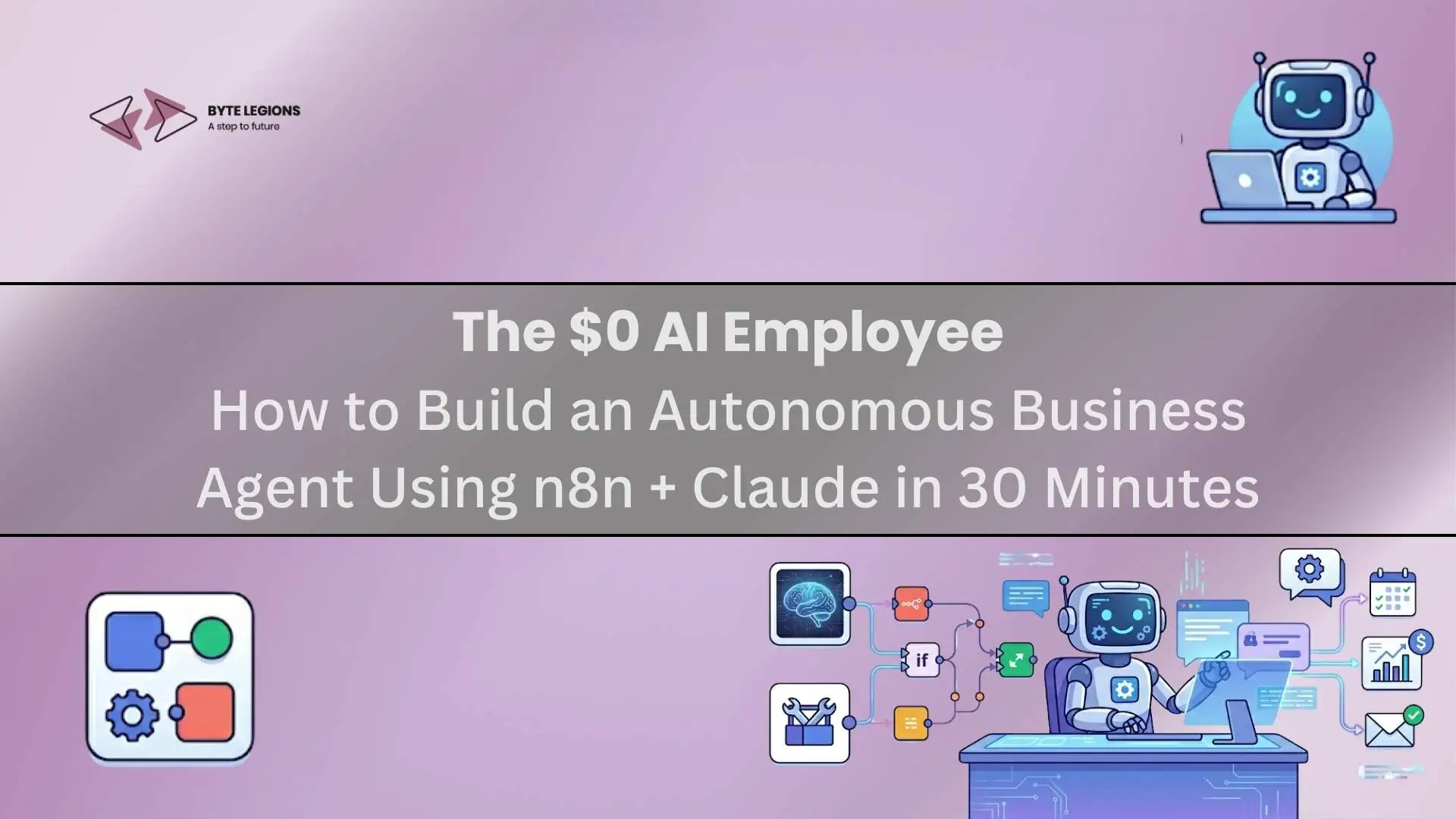
A technical diagram of an autonomous business agent workflow connecting n8n and Claude to Odoo, illustrating best odoo integration practices for AI-powered automation.

The idea of deploying an AI-powered agent that reads incoming data, reasons about it, and pushes structured outputs into your ERP has stopped being a future-looking concept. As of 2025, consultants and business owners are shipping this in a single afternoon using two tools: n8n and Claude. When combined thoughtfully, these two platforms represent the best odoo integration approach for businesses that want cognition, not just automation, wired into their operational stack.

This article is not a beginner’s guide to n8n or a pitch for AI buzzwords. It is a direct, practical breakdown of how to architect an autonomous business agent that connects Claude’s reasoning layer to your business systems, including Odoo, with close to zero infrastructure cost and no monthly SaaS overhead.

Why AI Automation Is No Longer Reserved for Enterprise Budgets

The barrier to entry for intelligent business automation has collapsed. A few years ago, integrating LLM-based decision logic into your operations required a dedicated AI engineer, a custom Python service, and a cloud deployment pipeline. Today, n8n’s self-hosted tier runs free on a $5 VPS, and Claude’s API costs fractions of a cent per reasoning cycle.

The real opportunity is replacing the class of tasks that previously needed a human to read something, decide what it means, and then act on it inside your system. That loop is now fully automatable with the right stack.

The Hidden Cost of Doing It Manually

Before you build anything, map the actual cost of manual handling. Consider an inbox-driven workflow where a team member reads an incoming inquiry, qualifies it against internal criteria, and then either creates a CRM lead or routes it to support. If that happens 40 times a day and takes 5 minutes each, you are burning over 3 hours of skilled labor on a task that a well-prompted AI agent handles in seconds. The downstream gain is not just speed; it is consistency in decision logic applied at every touchpoint.

Choosing the Right Stack: Why n8n + Claude Is Not an Accident

Technical consultants frequently ask why not use Zapier, Make, or OpenAI. The answer depends on what you are optimizing for: cost control, reasoning depth, and infrastructure ownership.

Claude vs. Other LLMs for Business Agent Logic

Claude’s primary advantage in business agent design is its handling of long, structured contexts. With a 200,000-token context window, it can ingest an entire customer interaction history, a product catalog excerpt, and a set of routing rules in a single prompt pass without losing coherence. For an autonomous agent that needs to weigh multiple variables simultaneously, that context depth directly translates to more accurate decisions. Claude also defaults to more cautious, verifiable outputs, which matters enormously in workflows where an incorrect decision means a bad record in your CRM or a misfired invoice.

n8n vs. Other Automation Platforms for Technical Users

n8n wins for three reasons: self-hosting, JavaScript execution, and MCP support. You can run it entirely on your own infrastructure, which matters when the agent handles sensitive customer data. JavaScript logic inside nodes lets you transform, filter, and conditionally route data without spinning up a separate microservice. The addition of MCP (Model Context Protocol) support means n8n workflows can now be made directly callable by Claude, turning your automations into tools the agent can invoke on its own.

Blueprint: How the Autonomous Agent Architecture Works

The agent follows a clean linear pattern regardless of which business function it handles. A trigger receives an event, whether via webhook, email parse, cron schedule, or form submission. That payload goes into a context builder node that assembles the prompt: static instructions, dynamic record data pulled from Odoo or any connected source, and any prior conversation state stored in a memory key. Claude then receives the assembled prompt via HTTP request and returns a structured JSON decision. A router node reads the decision field and dispatches the appropriate output action, which could be a record creation in Odoo, a Slack message, a draft email, or a webhook to another service. Every step logs to a central audit trail.

This pattern, labeled Trigger, Ingest, Reason, Act, Store, keeps the workflow auditable and easy to debug. You are not wiring opaque AI behavior into production. You are controlling exactly what context Claude receives, what decisions it can make, and what happens next.

For context on what Odoo is capable of supporting in this kind of architecture, the Odoo 19 release breakdown from Byte Legions is worth reading as a foundation for understanding how the platform’s automation layer has matured and what it exposes natively for external integrations.

Building the Agent: A 30-Minute Walkthrough

The 30-minute estimate assumes n8n is already installed and a Claude API key is active. Both take under 10 minutes to set up independently, with n8n’s official Docker image deployable in two commands.

Step 1 — Connect Claude to n8n via API

Inside n8n, add an HTTP Request node. Set the method to POST and the URL to https://api.anthropic.com/v1/messages. Under headers, add x-api-key with your Claude API key and anthropic-version set to 2023-06-01. The body should follow the messages array format with the model set to claude-sonnet-4-20250514 and a max_tokens value appropriate to your expected output length, typically 500 to 1500 tokens for a business routing task.

Test the node with a hardcoded prompt first before wiring dynamic data into it. Confirm the response structure contains content[0].text and that it is parsing correctly downstream before adding any routing logic.

Step 2 — Structure the Prompt Context and Memory Layer

Prompt quality is the single highest-leverage variable in the agent’s accuracy. Structure the prompt as a system block and a user block. The system block holds the agent’s identity, its decision rules, and the exact JSON schema you expect back. The user block holds the dynamic context assembled by the node upstream of the HTTP call, meaning the actual record data for that specific event.

For memory, use n8n’s built-in key-value store or a simple Postgres node when you need conversation continuity across multiple interactions with the same customer. Inject the last three to five interactions into the user block so Claude has behavioral context without consuming excessive tokens.

Step 3 — Define Trigger Conditions and Output Actions

Triggers can be webhooks from your form tool, a scheduled poll against an Odoo search_read endpoint, or an email parse using n8n’s Email Trigger node. Each trigger should normalize its payload into a consistent schema before it reaches the prompt builder node. Inconsistent inputs are the most common source of poor agent decisions at this stage.

Output actions map directly to Claude’s decision field in the JSON response. A simple Switch node reads the value and routes to the appropriate downstream action: create lead, escalate to human, send acknowledgment, or log and discard.

Chaining Decisions Without Hallucination Risk

The most reliable way to prevent Claude from inventing data is to constrain its decision space explicitly inside the system prompt. Provide a finite enum of valid output actions and instruct it to output nothing outside that set. For any field where Claude fills in values, validate those values in the n8n node before writing to any system of record. A schema check node placed between the Claude response and the write operation catches malformed outputs before they touch production data.

Connecting the Agent to Odoo: Where It Gets Genuinely Powerful

The full value of this architecture shows when the agent can read from and write to Odoo in real time. Odoo exposes both a JSON-RPC API and a REST API that n8n’s HTTP Request nodes can call directly without any additional middleware layer.

Pushing Agent Outputs Directly into Odoo Records

Once Claude classifies an incoming inquiry as a qualified lead, an n8n HTTP node calls object.execute_kw on Odoo’s JSON-RPC endpoint to create a crm.lead record. Fields like partner name, source, priority, and description are populated directly from Claude’s structured JSON output. The same pattern applies to creating helpdesk.ticket, sale.order, or project.task records depending on the routing decision. You can also run a read-before-write query inside the workflow, checking whether a partner already exists before creating a duplicate contact in your database.

When your Odoo instance has existing third-party connectors for tools like HubSpot or Shopify, this n8n agent layer functions as a unified routing brain, deciding which system receives which data based on the nature of the incoming event.

If you want to discuss how this architecture maps to your existing Odoo setup, Book a Free Consultation with the Byte Legions team.

Pitfalls Technical Consultants Hit First (And How to Sidestep Them)

Three failure patterns appear consistently across early agent deployments. First, prompt drift: your system prompt gets updated for one edge case and silently breaks another. Version-control your prompts the same way you version-control code, and run a regression test against known inputs after every edit. Second, token bloat: injecting entire Odoo records into the context without filtering means you hit token limits and inflate API costs. Extract only the fields the agent actually needs for the specific decision. Third, missing error boundaries: Claude occasionally returns malformed JSON or empty responses under API rate limits. Always add a fallback node that catches null responses and routes them to a human review queue rather than letting them fail silently.

Conclusion: Your Best Hire Costs $0/Month

The combination of n8n and Claude creates an automation layer that does something traditional rule-based tools cannot: it reasons. It reads unstructured inputs, weighs competing criteria, and makes context-aware decisions at a rate and consistency no human team can match for repetitive classification and routing tasks. For technical consultants, this is a high-value architecture to design and deploy for clients. For business owners, it is a genuine operational unlock that requires no ongoing subscription and no new headcount.

The $0 framing holds for the core stack. Claude API usage scales with volume, but at typical business workloads the monthly spend is measured in dollars, not thousands. The leverage on that cost is extraordinary.

Frequently Asked Questions (FAQs)

1. Do I need a paid n8n plan to use this architecture?

No. The self-hosted Community edition of n8n supports all the node types described here, including HTTP Request, Switch, and Postgres, completely free. The cloud-hosted plan adds convenience and managed infrastructure, but it is not a requirement for this build.

2. Which Claude model works best for business agent tasks?

Claude Sonnet 4 is the recommended balance of speed, cost, and reasoning quality for most business routing workflows. Reserve Opus-class models for tasks requiring deep analysis of very long documents where the additional reasoning quality justifies the higher cost per call.

3. Can this agent write directly to Odoo without a custom module?

Yes. Odoo’s built-in JSON-RPC API exposes create, write, read, and execute operations on any model your API user has access to. No custom Odoo module is required for basic record creation and update operations via the external API.

4. How do I handle rate limits from the Claude API?

Add a retry node in n8n with exponential backoff. The standard approach is to catch a 529 overload response, wait 2 to 5 seconds, and retry up to three times before routing the event to the fallback review queue.

5. Is this architecture suitable for high-volume workflows?

For workloads under a few thousand events per day, n8n with Claude handles load comfortably on a modest VPS. For higher throughput, activate n8n’s queue mode, which distributes workflow executions across worker instances and prevents bottlenecks at the Claude API call layer.

A technical diagram of an autonomous business agent workflow connecting n8n and Claude to Odoo, illustrating best odoo integration practices for AI-powered automation.

The idea of deploying an AI-powered agent that reads incoming data, reasons about it, and pushes structured outputs into your ERP has stopped being a future-looking concept. As of 2025, consultants and business owners are shipping this in a single afternoon using two tools: n8n and Claude. When combined thoughtfully, these two platforms represent the best odoo integration approach for businesses that want cognition, not just automation, wired into their operational stack.

This article is not a beginner’s guide to n8n or a pitch for AI buzzwords. It is a direct, practical breakdown of how to architect an autonomous business agent that connects Claude’s reasoning layer to your business systems, including Odoo, with close to zero infrastructure cost and no monthly SaaS overhead.

Why AI Automation Is No Longer Reserved for Enterprise Budgets

The barrier to entry for intelligent business automation has collapsed. A few years ago, integrating LLM-based decision logic into your operations required a dedicated AI engineer, a custom Python service, and a cloud deployment pipeline. Today, n8n’s self-hosted tier runs free on a $5 VPS, and Claude’s API costs fractions of a cent per reasoning cycle.

The real opportunity is replacing the class of tasks that previously needed a human to read something, decide what it means, and then act on it inside your system. That loop is now fully automatable with the right stack.

The Hidden Cost of Doing It Manually

Before you build anything, map the actual cost of manual handling. Consider an inbox-driven workflow where a team member reads an incoming inquiry, qualifies it against internal criteria, and then either creates a CRM lead or routes it to support. If that happens 40 times a day and takes 5 minutes each, you are burning over 3 hours of skilled labor on a task that a well-prompted AI agent handles in seconds. The downstream gain is not just speed; it is consistency in decision logic applied at every touchpoint.

Choosing the Right Stack: Why n8n + Claude Is Not an Accident

Technical consultants frequently ask why not use Zapier, Make, or OpenAI. The answer depends on what you are optimizing for: cost control, reasoning depth, and infrastructure ownership.

Claude vs. Other LLMs for Business Agent Logic

Claude’s primary advantage in business agent design is its handling of long, structured contexts. With a 200,000-token context window, it can ingest an entire customer interaction history, a product catalog excerpt, and a set of routing rules in a single prompt pass without losing coherence. For an autonomous agent that needs to weigh multiple variables simultaneously, that context depth directly translates to more accurate decisions. Claude also defaults to more cautious, verifiable outputs, which matters enormously in workflows where an incorrect decision means a bad record in your CRM or a misfired invoice.

n8n vs. Other Automation Platforms for Technical Users

n8n wins for three reasons: self-hosting, JavaScript execution, and MCP support. You can run it entirely on your own infrastructure, which matters when the agent handles sensitive customer data. JavaScript logic inside nodes lets you transform, filter, and conditionally route data without spinning up a separate microservice. The addition of MCP (Model Context Protocol) support means n8n workflows can now be made directly callable by Claude, turning your automations into tools the agent can invoke on its own.

Blueprint: How the Autonomous Agent Architecture Works

The agent follows a clean linear pattern regardless of which business function it handles. A trigger receives an event, whether via webhook, email parse, cron schedule, or form submission. That payload goes into a context builder node that assembles the prompt: static instructions, dynamic record data pulled from Odoo or any connected source, and any prior conversation state stored in a memory key. Claude then receives the assembled prompt via HTTP request and returns a structured JSON decision. A router node reads the decision field and dispatches the appropriate output action, which could be a record creation in Odoo, a Slack message, a draft email, or a webhook to another service. Every step logs to a central audit trail.

This pattern, labeled Trigger, Ingest, Reason, Act, Store, keeps the workflow auditable and easy to debug. You are not wiring opaque AI behavior into production. You are controlling exactly what context Claude receives, what decisions it can make, and what happens next.

For context on what Odoo is capable of supporting in this kind of architecture, the Odoo 19 release breakdown from Byte Legions is worth reading as a foundation for understanding how the platform’s automation layer has matured and what it exposes natively for external integrations.

Building the Agent: A 30-Minute Walkthrough

The 30-minute estimate assumes n8n is already installed and a Claude API key is active. Both take under 10 minutes to set up independently, with n8n’s official Docker image deployable in two commands.

Step 1 — Connect Claude to n8n via API

Inside n8n, add an HTTP Request node. Set the method to POST and the URL to https://api.anthropic.com/v1/messages. Under headers, add x-api-key with your Claude API key and anthropic-version set to 2023-06-01. The body should follow the messages array format with the model set to claude-sonnet-4-20250514 and a max_tokens value appropriate to your expected output length, typically 500 to 1500 tokens for a business routing task.

Test the node with a hardcoded prompt first before wiring dynamic data into it. Confirm the response structure contains content[0].text and that it is parsing correctly downstream before adding any routing logic.

Step 2 — Structure the Prompt Context and Memory Layer

Prompt quality is the single highest-leverage variable in the agent’s accuracy. Structure the prompt as a system block and a user block. The system block holds the agent’s identity, its decision rules, and the exact JSON schema you expect back. The user block holds the dynamic context assembled by the node upstream of the HTTP call, meaning the actual record data for that specific event.

For memory, use n8n’s built-in key-value store or a simple Postgres node when you need conversation continuity across multiple interactions with the same customer. Inject the last three to five interactions into the user block so Claude has behavioral context without consuming excessive tokens.

Step 3 — Define Trigger Conditions and Output Actions

Triggers can be webhooks from your form tool, a scheduled poll against an Odoo search_read endpoint, or an email parse using n8n’s Email Trigger node. Each trigger should normalize its payload into a consistent schema before it reaches the prompt builder node. Inconsistent inputs are the most common source of poor agent decisions at this stage.

Output actions map directly to Claude’s decision field in the JSON response. A simple Switch node reads the value and routes to the appropriate downstream action: create lead, escalate to human, send acknowledgment, or log and discard.

Chaining Decisions Without Hallucination Risk

The most reliable way to prevent Claude from inventing data is to constrain its decision space explicitly inside the system prompt. Provide a finite enum of valid output actions and instruct it to output nothing outside that set. For any field where Claude fills in values, validate those values in the n8n node before writing to any system of record. A schema check node placed between the Claude response and the write operation catches malformed outputs before they touch production data.

Connecting the Agent to Odoo: Where It Gets Genuinely Powerful

The full value of this architecture shows when the agent can read from and write to Odoo in real time. Odoo exposes both a JSON-RPC API and a REST API that n8n’s HTTP Request nodes can call directly without any additional middleware layer.

Pushing Agent Outputs Directly into Odoo Records

Once Claude classifies an incoming inquiry as a qualified lead, an n8n HTTP node calls object.execute_kw on Odoo’s JSON-RPC endpoint to create a crm.lead record. Fields like partner name, source, priority, and description are populated directly from Claude’s structured JSON output. The same pattern applies to creating helpdesk.ticket, sale.order, or project.task records depending on the routing decision. You can also run a read-before-write query inside the workflow, checking whether a partner already exists before creating a duplicate contact in your database.

When your Odoo instance has existing third-party connectors for tools like HubSpot or Shopify, this n8n agent layer functions as a unified routing brain, deciding which system receives which data based on the nature of the incoming event.

If you want to discuss how this architecture maps to your existing Odoo setup, Book a Free Consultation with the Byte Legions team.

Pitfalls Technical Consultants Hit First (And How to Sidestep Them)

Three failure patterns appear consistently across early agent deployments. First, prompt drift: your system prompt gets updated for one edge case and silently breaks another. Version-control your prompts the same way you version-control code, and run a regression test against known inputs after every edit. Second, token bloat: injecting entire Odoo records into the context without filtering means you hit token limits and inflate API costs. Extract only the fields the agent actually needs for the specific decision. Third, missing error boundaries: Claude occasionally returns malformed JSON or empty responses under API rate limits. Always add a fallback node that catches null responses and routes them to a human review queue rather than letting them fail silently.

Conclusion: Your Best Hire Costs $0/Month

The combination of n8n and Claude creates an automation layer that does something traditional rule-based tools cannot: it reasons. It reads unstructured inputs, weighs competing criteria, and makes context-aware decisions at a rate and consistency no human team can match for repetitive classification and routing tasks. For technical consultants, this is a high-value architecture to design and deploy for clients. For business owners, it is a genuine operational unlock that requires no ongoing subscription and no new headcount.

The $0 framing holds for the core stack. Claude API usage scales with volume, but at typical business workloads the monthly spend is measured in dollars, not thousands. The leverage on that cost is extraordinary.

Frequently Asked Questions (FAQs)

1. Do I need a paid n8n plan to use this architecture?

No. The self-hosted Community edition of n8n supports all the node types described here, including HTTP Request, Switch, and Postgres, completely free. The cloud-hosted plan adds convenience and managed infrastructure, but it is not a requirement for this build.

2. Which Claude model works best for business agent tasks?

Claude Sonnet 4 is the recommended balance of speed, cost, and reasoning quality for most business routing workflows. Reserve Opus-class models for tasks requiring deep analysis of very long documents where the additional reasoning quality justifies the higher cost per call.

3. Can this agent write directly to Odoo without a custom module?

Yes. Odoo’s built-in JSON-RPC API exposes create, write, read, and execute operations on any model your API user has access to. No custom Odoo module is required for basic record creation and update operations via the external API.

4. How do I handle rate limits from the Claude API?

Add a retry node in n8n with exponential backoff. The standard approach is to catch a 529 overload response, wait 2 to 5 seconds, and retry up to three times before routing the event to the fallback review queue.

5. Is this architecture suitable for high-volume workflows?

For workloads under a few thousand events per day, n8n with Claude handles load comfortably on a modest VPS. For higher throughput, activate n8n’s queue mode, which distributes workflow executions across worker instances and prevents bottlenecks at the Claude API call layer.

Comments are closed

Seraphinite AcceleratorOptimized by Seraphinite Accelerator
Turns on site high speed to be attractive for people and search engines.