

...

Variable-Weight Products with Barcodes in Odoo 19

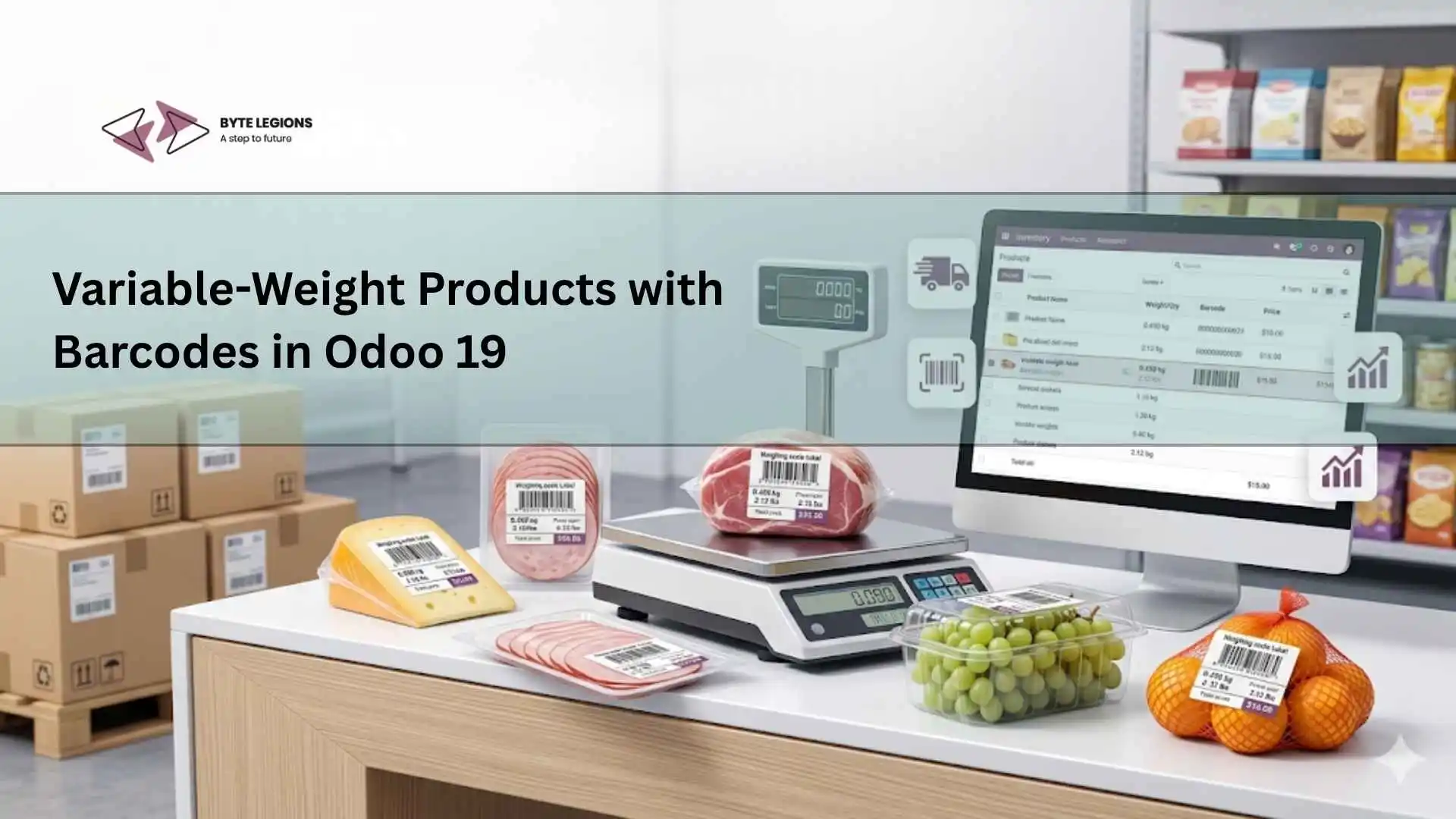
Variable-weight barcode workflow for manufacturing inventory in Odoo 19 with odoo customization services.

Manufacturers that sell or process items by actual weight already know the pain: one product name, many possible weights, and a warehouse team that cannot afford manual entry mistakes. In food processing, meat, dairy, seafood, chemicals, textiles, and raw material manufacturing, the label on the package must tell the system more than just the product name. It must also carry the real weight, lot, quantity, and sometimes packaging details. That is where Odoo enterprise implementation becomes important, because barcode handling is not just a scanning feature, it is part of inventory, manufacturing, costing, sales, and delivery accuracy.

In Odoo 19, variable-weight products can be managed more cleanly when product configuration, barcode nomenclature, units of measure, and operational workflows are aligned from the start. For manufacturers and business owners, the goal is simple: scan the barcode, read the correct product, capture the correct weight, update the stock correctly, and keep finance, sales, and production on the same page.

Why Variable-Weight Barcode Handling Matters for Manufacturers

Variable-weight products are products where every unit can have a different actual weight. A box of chicken, a cheese wheel, a beef cut, a fabric roll, or a chemical drum may share the same product code, but each package may weigh differently. If the warehouse user manually types that weight every time, the business is exposed to quantity errors, valuation issues, delivery mismatches, and customer disputes.

Barcode handling solves this by converting the physical label into structured data inside Odoo. Instead of asking the operator to identify the item and enter the quantity manually, the barcode can contain the product identifier and the weight. In more advanced workflows, the barcode can also support traceability data such as lot number or batch reference.

For manufacturers, this is not only a warehouse convenience. It affects purchase receiving, production consumption, finished goods labeling, sales order delivery, invoicing, and stock valuation. When the weight is wrong, the whole chain becomes unreliable.

How Odoo 19 Supports Variable-Weight Products in Real Business Flows

Odoo 19 supports barcode workflows through Inventory, Barcode, Manufacturing, Sales, and POS related operations. The key functional concept is barcode nomenclature. This is the rule system that tells Odoo how to interpret a scanned barcode. For example, a barcode can represent a product, a weighted product, a lot, a package, a location, or a command.

For variable-weight products, the barcode pattern matters. A label may start with a specific prefix that tells Odoo, “this is a weighted product barcode.” The following digits can identify the product and the encoded weight. Once the rule is configured correctly, Odoo can read the barcode and apply the correct quantity.

Catch Weight, Packed Weight, and Sold Weight Explained

In manufacturing, three weight concepts often appear together.

Catch weight is the actual weight of a specific item or package. For example, two cartons of the same meat product may weigh 18.4 kg and 21.2 kg.

Packed weight is the weight printed on the final package label after production or repacking. This is usually used for finished goods.

Sold weight is the quantity used for pricing and invoicing. In many businesses, the customer pays based on actual weight, not based on fixed units.

Odoo configuration should respect how the business buys, stores, manufactures, sells, and invoices the product. Some companies purchase by kilogram, produce by batch, pack by box, and sell by actual weight. If the configuration is too simple, reporting will become messy later.

When Manufacturers Need GS1 or Embedded-Weight Barcodes

Manufacturers usually choose between internal embedded-weight barcodes and GS1 barcodes.

Embedded-weight barcodes are commonly used for internal warehouse or retail-style workflows. They often encode product identity and weight in a fixed pattern. For example, one part of the barcode identifies the product and another part stores the weight.

GS1 barcodes are more standardized and useful when products move across supply chains, retailers, distributors, logistics providers, or regulated environments. GS1 can carry structured information such as product GTIN, lot number, quantity, expiration date, and other supply chain data.

The best choice depends on business size, customer requirements, industry regulations, and whether the barcode is only used internally or shared externally.

Functional Setup for Variable-Weight Products in Odoo 19

A successful setup starts with the product master. Before configuring barcode rules, the consultant should confirm how the business defines products, units, packaging, costing, and traceability.

A common mistake is jumping straight into barcode settings without cleaning product data. If the same item exists multiple times with different units, duplicate barcodes, or unclear product categories, barcode scanning will only make the mistakes faster.

Product Configuration, Units of Measure, and Barcode Rules

The product should be configured with the correct unit of measure, usually kilogram, gram, pound, or another weight unit depending on the business. The purchase unit, inventory unit, and sales unit should be reviewed carefully.

Then the barcode rule should be configured in the barcode nomenclature. The rule tells Odoo how to detect and decode the scanned barcode. For weighted products, the rule usually includes:

Product identification segment
Weight or quantity segment
Decimal precision logic
Barcode type
Rule sequence

For example, if a scale prints labels using a prefix for weighted items, Odoo must have a matching rule. If the barcode says the product is 2.345 kg, the system must not read it as 2345 kg or 23.45 kg. Decimal placement is a small detail with a big business impact.

Inventory, Manufacturing, and Sales Impact

Once barcode rules are working, the impact spreads across multiple Odoo apps.

In Inventory, receiving teams can scan weighted product labels and update on-hand quantities accurately.

In Manufacturing, operators can consume actual weighted raw materials and produce finished goods with correct batch quantities.

In Sales, delivery teams can validate shipped quantities based on scanned package labels.

In Accounting, stock valuation becomes more reliable because Odoo receives actual quantities instead of guessed or rounded values.

For a wider view of warehouse improvements, Byte Legions has also covered Odoo 19 warehouse management features that connect barcode operations with smarter inventory control.

Barcode Scanning Workflow from Production to Delivery

A strong implementation should not stop at configuration. The real test is the operational workflow. Every scan should match the user’s daily process, not force the team into awkward workarounds.

Receiving Raw Materials with Actual Weight

When raw materials arrive, the receiving team scans the supplier label or internal receiving label. Odoo identifies the product and captures the actual weight. If lot tracking is enabled, the lot number can also be scanned or entered during receipt.

This is especially useful for manufacturers handling variable raw materials. For example, a seafood processor may receive multiple boxes from the same supplier, each with a different weight. With barcode scanning, the receipt becomes faster and more accurate.

The key functional checks are:

The barcode identifies the correct product
The weight is captured in the right unit
The lot or batch is recorded if required
The receipt updates stock immediately
The valuation reflects actual received quantity

Manufacturing Finished Goods with Weight-Based Labels

During production, raw material weights can be consumed against a manufacturing order. Finished goods may then be packed and labeled with actual package weight.

For example, a production batch creates 100 cartons of finished goods. Each carton may have a unique weight. A connected scale or labeling system can print a barcode that includes the product code and actual carton weight. When the carton is moved to stock, Odoo can read the barcode and update the finished goods quantity.

This is where the technical and functional sides must work together. The functional consultant defines the business flow, while the technical developer may adjust label formats, barcode parsing, scanner behavior, or custom integrations with weighing scales.

Sales, POS, and Delivery Validation Using Scanned Barcodes

For businesses selling variable-weight products, the sales and delivery workflow must also respect actual weight.

In POS, a product can be weighed and priced based on the measured quantity. In warehouse deliveries, the team can scan package labels to validate the actual shipped quantity. This helps prevent customer disputes where the sales order says one quantity but the delivered package carries another weight.

For B2B manufacturers, this is especially important when invoices are based on shipped weight. A clean barcode workflow reduces manual corrections and improves customer trust.

Common Implementation Challenges and How to Avoid Them

Variable-weight barcode projects can look simple on the surface, but small configuration errors can create large operational problems. The most common issues are barcode pattern mismatch, poor unit setup, unclear traceability rules, and weak user training.

Wrong Barcode Pattern Mapping

The first major issue is incorrect barcode pattern mapping. If the scale prints one structure and Odoo expects another, scans will fail or produce wrong quantities.

Before going live, test real barcode labels from the actual scale or supplier. Do not test only with sample numbers typed manually. Real labels often reveal formatting issues, prefix differences, decimal precision problems, or scanner character behavior.

Stock Valuation and Costing Mistakes

When products are managed by weight, stock valuation depends on quantity accuracy. If receiving weight is wrong, average cost, FIFO layers, production cost, and margins can become unreliable.

Business owners should not treat barcode configuration as only an IT task. Finance, warehouse, manufacturing, and sales teams should all confirm the process. If one team uses kilograms and another team reports boxes, reporting will become confusing.

User Training Gaps on Warehouse Scanning

Even a perfect barcode rule can fail if users do not understand the scanning flow. Warehouse teams need clear guidance on when to scan product labels, lot labels, package labels, locations, and operations.

Training should include exception handling. What happens if the barcode is damaged? What if the weight is wrong? What if the scale prints a label with the wrong product code? These scenarios should be documented before go-live.

Where Odoo Enterprise Implementation Adds Business Value

An Odoo variable-weight barcode project delivers the most value when it is treated as a complete business process, not just a technical setting. A proper implementation reviews product data, barcode labels, scale output, inventory routes, manufacturing orders, delivery steps, user permissions, reports, and accounting impact.

For manufacturers, this can reduce manual entry, improve stock accuracy, speed up warehouse movement, strengthen traceability, and support better invoicing. It also gives management more confidence in margin reporting because the quantities behind the numbers are more reliable.

If your business handles weighted products and wants to connect barcode scanning with inventory, manufacturing, and sales, Book a Consultation with Byte Legions to plan the right Odoo 19 workflow before development starts.

Conclusion: Building a Reliable Weight-Based Barcode Process

Variable-weight products with barcodes in Odoo 19 can help manufacturers move from manual weight entry to a faster, cleaner, and more traceable process. The real success depends on correct product setup, barcode nomenclature, weight precision, label testing, and user training. When implemented properly, Odoo becomes more than a place to store inventory. It becomes a reliable operational system that connects the scale, warehouse, production floor, delivery team, and finance department.

Frequently Asked Questions (FAQs)

1. Can Odoo 19 read product weight from a barcode?

Yes, Odoo 19 can interpret weighted product barcodes when barcode nomenclature rules are configured correctly. The barcode pattern must match the label format used by your scale, supplier, or internal labeling system.

2. Do manufacturers need GS1 barcodes for variable-weight products?

Not always. Internal embedded-weight barcodes may be enough for warehouse and production use. GS1 barcodes are better when products move through external supply chains, retailers, distributors, or regulated environments.

3. Can Odoo handle different weights for the same product?

Yes, Odoo can manage the same product with different scanned quantities if the unit of measure and barcode rules are configured properly. This is useful for catch weight products and packed goods.

4. What is the biggest mistake in variable-weight barcode implementation?

The biggest mistake is configuring barcode rules without testing real labels. Always test labels from the actual weighing scale, supplier, or packaging line before go-live.

5. Is customization required for variable-weight barcode workflows in Odoo 19?

Sometimes. Standard Odoo can handle many barcode scenarios, but customization may be needed for special scale integrations, custom labels, advanced manufacturing flows, or industry-specific reporting.

Variable-weight barcode workflow for manufacturing inventory in Odoo 19 with odoo customization services.

Manufacturers that sell or process items by actual weight already know the pain: one product name, many possible weights, and a warehouse team that cannot afford manual entry mistakes. In food processing, meat, dairy, seafood, chemicals, textiles, and raw material manufacturing, the label on the package must tell the system more than just the product name. It must also carry the real weight, lot, quantity, and sometimes packaging details. That is where Odoo enterprise implementation becomes important, because barcode handling is not just a scanning feature, it is part of inventory, manufacturing, costing, sales, and delivery accuracy.

In Odoo 19, variable-weight products can be managed more cleanly when product configuration, barcode nomenclature, units of measure, and operational workflows are aligned from the start. For manufacturers and business owners, the goal is simple: scan the barcode, read the correct product, capture the correct weight, update the stock correctly, and keep finance, sales, and production on the same page.

Why Variable-Weight Barcode Handling Matters for Manufacturers

Variable-weight products are products where every unit can have a different actual weight. A box of chicken, a cheese wheel, a beef cut, a fabric roll, or a chemical drum may share the same product code, but each package may weigh differently. If the warehouse user manually types that weight every time, the business is exposed to quantity errors, valuation issues, delivery mismatches, and customer disputes.

Barcode handling solves this by converting the physical label into structured data inside Odoo. Instead of asking the operator to identify the item and enter the quantity manually, the barcode can contain the product identifier and the weight. In more advanced workflows, the barcode can also support traceability data such as lot number or batch reference.

For manufacturers, this is not only a warehouse convenience. It affects purchase receiving, production consumption, finished goods labeling, sales order delivery, invoicing, and stock valuation. When the weight is wrong, the whole chain becomes unreliable.

How Odoo 19 Supports Variable-Weight Products in Real Business Flows

Odoo 19 supports barcode workflows through Inventory, Barcode, Manufacturing, Sales, and POS related operations. The key functional concept is barcode nomenclature. This is the rule system that tells Odoo how to interpret a scanned barcode. For example, a barcode can represent a product, a weighted product, a lot, a package, a location, or a command.

For variable-weight products, the barcode pattern matters. A label may start with a specific prefix that tells Odoo, “this is a weighted product barcode.” The following digits can identify the product and the encoded weight. Once the rule is configured correctly, Odoo can read the barcode and apply the correct quantity.

Catch Weight, Packed Weight, and Sold Weight Explained

In manufacturing, three weight concepts often appear together.

Catch weight is the actual weight of a specific item or package. For example, two cartons of the same meat product may weigh 18.4 kg and 21.2 kg.

Packed weight is the weight printed on the final package label after production or repacking. This is usually used for finished goods.

Sold weight is the quantity used for pricing and invoicing. In many businesses, the customer pays based on actual weight, not based on fixed units.

Odoo configuration should respect how the business buys, stores, manufactures, sells, and invoices the product. Some companies purchase by kilogram, produce by batch, pack by box, and sell by actual weight. If the configuration is too simple, reporting will become messy later.

When Manufacturers Need GS1 or Embedded-Weight Barcodes

Manufacturers usually choose between internal embedded-weight barcodes and GS1 barcodes.

Embedded-weight barcodes are commonly used for internal warehouse or retail-style workflows. They often encode product identity and weight in a fixed pattern. For example, one part of the barcode identifies the product and another part stores the weight.

GS1 barcodes are more standardized and useful when products move across supply chains, retailers, distributors, logistics providers, or regulated environments. GS1 can carry structured information such as product GTIN, lot number, quantity, expiration date, and other supply chain data.

The best choice depends on business size, customer requirements, industry regulations, and whether the barcode is only used internally or shared externally.

Functional Setup for Variable-Weight Products in Odoo 19

A successful setup starts with the product master. Before configuring barcode rules, the consultant should confirm how the business defines products, units, packaging, costing, and traceability.

A common mistake is jumping straight into barcode settings without cleaning product data. If the same item exists multiple times with different units, duplicate barcodes, or unclear product categories, barcode scanning will only make the mistakes faster.

Product Configuration, Units of Measure, and Barcode Rules

The product should be configured with the correct unit of measure, usually kilogram, gram, pound, or another weight unit depending on the business. The purchase unit, inventory unit, and sales unit should be reviewed carefully.

Then the barcode rule should be configured in the barcode nomenclature. The rule tells Odoo how to detect and decode the scanned barcode. For weighted products, the rule usually includes:

Product identification segment
Weight or quantity segment
Decimal precision logic
Barcode type
Rule sequence

For example, if a scale prints labels using a prefix for weighted items, Odoo must have a matching rule. If the barcode says the product is 2.345 kg, the system must not read it as 2345 kg or 23.45 kg. Decimal placement is a small detail with a big business impact.

Inventory, Manufacturing, and Sales Impact

Once barcode rules are working, the impact spreads across multiple Odoo apps.

In Inventory, receiving teams can scan weighted product labels and update on-hand quantities accurately.

In Manufacturing, operators can consume actual weighted raw materials and produce finished goods with correct batch quantities.

In Sales, delivery teams can validate shipped quantities based on scanned package labels.

In Accounting, stock valuation becomes more reliable because Odoo receives actual quantities instead of guessed or rounded values.

For a wider view of warehouse improvements, Byte Legions has also covered Odoo 19 warehouse management features that connect barcode operations with smarter inventory control.

Barcode Scanning Workflow from Production to Delivery

A strong implementation should not stop at configuration. The real test is the operational workflow. Every scan should match the user’s daily process, not force the team into awkward workarounds.

Receiving Raw Materials with Actual Weight

When raw materials arrive, the receiving team scans the supplier label or internal receiving label. Odoo identifies the product and captures the actual weight. If lot tracking is enabled, the lot number can also be scanned or entered during receipt.

This is especially useful for manufacturers handling variable raw materials. For example, a seafood processor may receive multiple boxes from the same supplier, each with a different weight. With barcode scanning, the receipt becomes faster and more accurate.

The key functional checks are:

The barcode identifies the correct product
The weight is captured in the right unit
The lot or batch is recorded if required
The receipt updates stock immediately
The valuation reflects actual received quantity

Manufacturing Finished Goods with Weight-Based Labels

During production, raw material weights can be consumed against a manufacturing order. Finished goods may then be packed and labeled with actual package weight.

For example, a production batch creates 100 cartons of finished goods. Each carton may have a unique weight. A connected scale or labeling system can print a barcode that includes the product code and actual carton weight. When the carton is moved to stock, Odoo can read the barcode and update the finished goods quantity.

This is where the technical and functional sides must work together. The functional consultant defines the business flow, while the technical developer may adjust label formats, barcode parsing, scanner behavior, or custom integrations with weighing scales.

Sales, POS, and Delivery Validation Using Scanned Barcodes

For businesses selling variable-weight products, the sales and delivery workflow must also respect actual weight.

In POS, a product can be weighed and priced based on the measured quantity. In warehouse deliveries, the team can scan package labels to validate the actual shipped quantity. This helps prevent customer disputes where the sales order says one quantity but the delivered package carries another weight.

For B2B manufacturers, this is especially important when invoices are based on shipped weight. A clean barcode workflow reduces manual corrections and improves customer trust.

Common Implementation Challenges and How to Avoid Them

Variable-weight barcode projects can look simple on the surface, but small configuration errors can create large operational problems. The most common issues are barcode pattern mismatch, poor unit setup, unclear traceability rules, and weak user training.

Wrong Barcode Pattern Mapping

The first major issue is incorrect barcode pattern mapping. If the scale prints one structure and Odoo expects another, scans will fail or produce wrong quantities.

Before going live, test real barcode labels from the actual scale or supplier. Do not test only with sample numbers typed manually. Real labels often reveal formatting issues, prefix differences, decimal precision problems, or scanner character behavior.

Stock Valuation and Costing Mistakes

When products are managed by weight, stock valuation depends on quantity accuracy. If receiving weight is wrong, average cost, FIFO layers, production cost, and margins can become unreliable.

Business owners should not treat barcode configuration as only an IT task. Finance, warehouse, manufacturing, and sales teams should all confirm the process. If one team uses kilograms and another team reports boxes, reporting will become confusing.

User Training Gaps on Warehouse Scanning

Even a perfect barcode rule can fail if users do not understand the scanning flow. Warehouse teams need clear guidance on when to scan product labels, lot labels, package labels, locations, and operations.

Training should include exception handling. What happens if the barcode is damaged? What if the weight is wrong? What if the scale prints a label with the wrong product code? These scenarios should be documented before go-live.

Where Odoo Enterprise Implementation Adds Business Value

An Odoo variable-weight barcode project delivers the most value when it is treated as a complete business process, not just a technical setting. A proper implementation reviews product data, barcode labels, scale output, inventory routes, manufacturing orders, delivery steps, user permissions, reports, and accounting impact.

For manufacturers, this can reduce manual entry, improve stock accuracy, speed up warehouse movement, strengthen traceability, and support better invoicing. It also gives management more confidence in margin reporting because the quantities behind the numbers are more reliable.

If your business handles weighted products and wants to connect barcode scanning with inventory, manufacturing, and sales, Book a Consultation with Byte Legions to plan the right Odoo 19 workflow before development starts.

Conclusion: Building a Reliable Weight-Based Barcode Process

Variable-weight products with barcodes in Odoo 19 can help manufacturers move from manual weight entry to a faster, cleaner, and more traceable process. The real success depends on correct product setup, barcode nomenclature, weight precision, label testing, and user training. When implemented properly, Odoo becomes more than a place to store inventory. It becomes a reliable operational system that connects the scale, warehouse, production floor, delivery team, and finance department.

Frequently Asked Questions (FAQs)

1. Can Odoo 19 read product weight from a barcode?

Yes, Odoo 19 can interpret weighted product barcodes when barcode nomenclature rules are configured correctly. The barcode pattern must match the label format used by your scale, supplier, or internal labeling system.

2. Do manufacturers need GS1 barcodes for variable-weight products?

Not always. Internal embedded-weight barcodes may be enough for warehouse and production use. GS1 barcodes are better when products move through external supply chains, retailers, distributors, or regulated environments.

3. Can Odoo handle different weights for the same product?

Yes, Odoo can manage the same product with different scanned quantities if the unit of measure and barcode rules are configured properly. This is useful for catch weight products and packed goods.

4. What is the biggest mistake in variable-weight barcode implementation?

The biggest mistake is configuring barcode rules without testing real labels. Always test labels from the actual weighing scale, supplier, or packaging line before go-live.

5. Is customization required for variable-weight barcode workflows in Odoo 19?

Sometimes. Standard Odoo can handle many barcode scenarios, but customization may be needed for special scale integrations, custom labels, advanced manufacturing flows, or industry-specific reporting.

Comments are closed

Seraphinite AcceleratorOptimized by Seraphinite Accelerator
Turns on site high speed to be attractive for people and search engines.