

...

Pallet Tracking & Multi-Level Packaging in Odoo 19

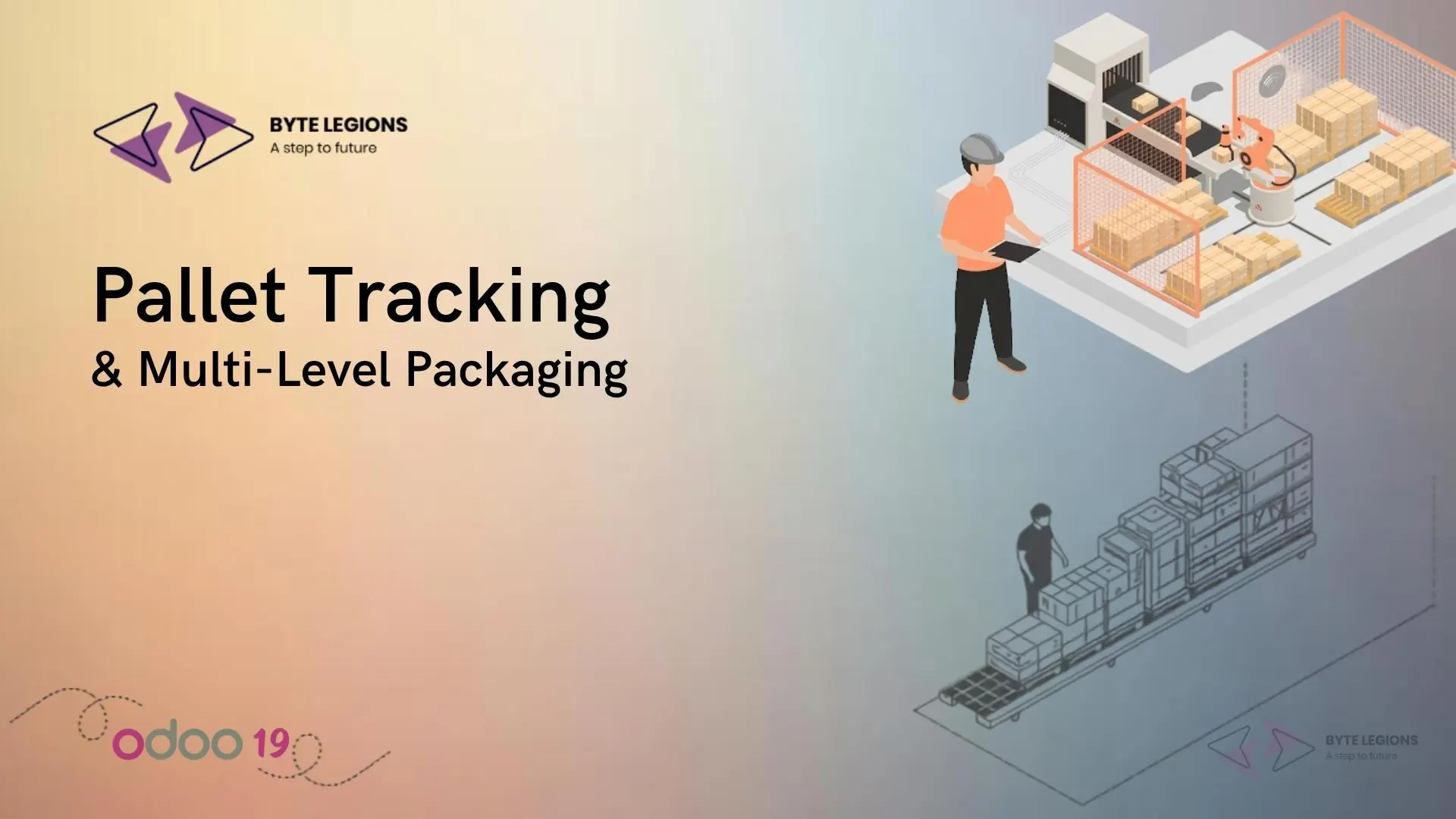
A warehouse pallet tracking and multi-level packaging setup in Odoo 19 showing nested package hierarchy, odoo customization services.

If your warehouse thinks in relationships (cans go in boxes, boxes go on pallets) but your ERP forces everything into flat, single-layer records, you already know where the friction lives. Odoo 19 closes that gap. Two changes matter most for anyone moving product at volume: units of measure and packaging are now unified into one flexible framework, and packages can nest inside other packages. That second capability, called pack-in-pack, is what finally lets Odoo mirror how pallets actually behave on your floor. As a functional consultant, this is one of the first upgrades I flag when a distributor or manufacturer asks our team about Odoo consulting services, because it removes a workaround most operations have been quietly tolerating for years.

The payoff is practical. You scan one pallet and move dozens of boxes in a single stock move. You route incoming pallets to the right rack automatically. You keep visibility into what sits inside each container without opening it. This article walks through how to configure pallet tracking and multi-level packaging in Odoo 19 the way it holds up under real throughput, plus the buyer-level caveats worth knowing before you commit a rollout plan.

Why Warehouse Packaging Control Decides Fulfillment Speed

Packaging control is not a cosmetic setting. It is the layer that determines how many clicks and scans stand between a receipt and a shelf. When Odoo can treat a loaded pallet as one movable unit, your team stops touching every carton individually. Putaway happens faster, picking errors drop, and your stock records finally match what a forklift operator sees in the aisle.

The older constraint hurt exactly here. Before Odoo 19, a product could carry only one package type, so teams were forced into awkward choices about whether an item lived in a small box, a large box, or a pallet. Packaging definitions also had to be recreated product by product, which meant the same six-pack structure got rebuilt fifty times across a catalog. Odoo 19 removes both limits, and the operational effect is compounding: less duplicate configuration, cleaner master data, and workflows that finally match physical reality instead of fighting it.

Building the Multi-Level Packaging Hierarchy

Getting the hierarchy right at setup is the single highest-leverage decision in the whole configuration. Odoo 19 lets any measure relate to any other, so you define your chain once (unit, inner carton, case, pallet) and reuse it. A word of caution from live projects: switching a base unit of measure after movements or packaging already exist does not trigger automatic conversion, so 120 units can silently become “120 packs.” Lock the hierarchy in during initial setup, before stock starts flowing.

Product Packaging vs Package Types in Odoo 19

These two concepts get confused constantly, and the confusion causes rework. Product packaging describes how many units of a specific product sit inside a container, for example a case that holds 24 bottles. Package types describe the physical container itself (its empty weight, maximum weight, barcode, and shipping carrier) independent of what goes inside. A pallet is a package type. “Pallet of 96 soap bars” is a packaging definition that leans on that type. Keep the mental split clean: packaging answers “how many,” package type answers “what container.”

When you define a package type, you can also set a sequence prefix so Odoo auto-names new containers predictably. Assign PAL to your pallet type, and the first pallet created becomes PAL0000001, the next PAL0000002, and so on. That naming discipline pays off the moment someone needs to trace a specific container in a report.

Mapping Units, Inner Cartons, Cases, and Pallets

Here is the practical part buyers ask about. Model the levels your business actually handles, not every level that theoretically exists. A best-practice tip I give every client: when you define an intermediate packaging like a pack of 12, reference the base unit (12 units) rather than an intermediate step (2 packs of 6). Referencing the base unit avoids confusing conversion displays down the line and keeps price relationships intact when you switch quantities. Skip the levels you never move as a unit. Over-modeling the hierarchy creates scanning overhead that slows your team without adding traceability value.

Enabling Pallet Tracking with Packages

Pallet tracking in Odoo runs on the Packages feature. Turn it on under Inventory, Configuration, Settings, and save. From there, packages become physical containers Odoo can track: scan one and the Barcode app shows its contents, which is exactly the visibility a floor team needs during moves. One nuance to set expectations early: a package barcode identifies the package type, not an individual pallet. Scanning tells the system “this is a pallet of X,” not “this is Pallet #1 versus Pallet #2.” For unique per-pallet identity you lean on the package reference (PAL0000001) rather than the barcode.

To load a pallet during any transfer, use the Put in Pack button on the operation. In the pop-up, choose Pallet as the package type, and every qualifying product line updates to show that pallet. Validate the operation to commit the move. To combine containers, pack-in-pack lets you nest packages so boxes sit on a pallet and the whole stack moves together. That is the feature that turns fifty scans into one.

Reusable vs Disposable Packages

On the package form, the Package Use field carries more weight than it looks. Choose Reusable Box for containers that shuttle product around inside your warehouse, which is the correct setting for most pallets that cycle back into service. Choose Disposable Box for containers that leave with a customer shipment and are not expected to return. Getting this right keeps your pallet pool accurate and stops single-use shipping cartons from cluttering your internal container list.

Barcode-Driven Pallet Moves on the Warehouse Floor

Single-scan pallet movement is not on by default. Enable Move Entire Packages on the relevant operation types under the Barcode App tab, and scanning a pallet will relocate every tracked product inside it in one action. One important boundary: moving a package updates the location of tracked products only. Any untracked (non-inventory) items riding along on that pallet will not have their location updated, and they will not appear in the package contents. For most pallet operations this is fine, but it is worth knowing before you assume a scan moved everything.

Putaway Rules and Storage Categories for Pallets

This is where pallet tracking stops being a data exercise and starts saving labor. Putaway rules automatically route incoming stock to the right location, and in Odoo 19 you can trigger those rules by package type. Receive a pallet of a given product and Odoo directs it straight to your pallet racking, for example WH/Stock/Pallets/PAL1, without an operator deciding. To use putaway rules, enable Multi-Step Routes (which also switches on Storage Locations) and make sure Packages is active so package-type rules are available.

If your team is still designing the location tree that all of this depends on, our deeper walkthrough on advanced warehouse management features in Odoo 19 covers routes, sublocations, and lot tracking in the sequence we recommend for a clean build.

Capacity by Package and Optimal Storage Location

Storage categories are the guardrails that make putaway smart instead of blind. Create a category (a “high frequency pallets” category is the classic example), then in the Capacity by Package tab set a maximum, such as 2.00 pallets per location. Assign that category to your PAL1 and PAL2 sublocations, and Odoo will propose the optimal storage location based on how many pallets each spot can still hold. You can layer limits by weight and by product too, so a rack can be capped at both a pallet count and a total kilogram load.

One behavior every ops manager should internalize before go-live: Odoo does not automatically split an incoming quantity across multiple locations. If the first recommended location is over capacity, Odoo still routes everything there rather than spilling the overflow to the next available spot. Plan your capacity numbers and location count with that in mind, because the system optimizes selection, not redistribution.

Traceability, Lot Tracking, and Inventory Accuracy

Pallet tracking gets substantially more powerful when you pair it with lot and serial number tracking. Assign traced items to a package and each container carries its own tracking barcode, so you know not just that a pallet moved but exactly which lots rode on it from receipt to delivery. That linkage is what supports recalls, FEFO picking, and audit-ready records.

For teams that want the full receipt-to-delivery traceability picture, our guide on end-to-end traceability in Odoo 19 pairs naturally with the packaging setup described here.

The accuracy gain is real, but set expectations correctly with stakeholders. Odoo 19 tracks the physical container and its tracked contents in units, which keeps stock valuation and lot history precise across every pallet move.

Common Pallet and Packaging Pitfalls to Avoid

A few issues surface repeatedly in implementations, and knowing them upfront saves weeks. First, Odoo 19 does not maintain packaging quantities as a separate stock figure. The product still shows availability in base units, so if you need a live count of “how many six-packs are on hand,” standard configuration will not surface that number directly, and you should plan for a product extension if that metric is business-critical.

Second, respect the reservation setting. Under a product category’s logistics options, Reserve Packagings can be set to reserve only full packagings or to allow partial ones, and the choice changes how much stock a sales order locks. Third, do not change base units after movements exist, since no automatic conversion occurs. Fourth, remember the single-location putaway behavior covered above. None of these are dealbreakers, but each one is easier to design around than to unwind after go-live.

Conclusion

Odoo 19 turns pallet tracking and multi-level packaging from a workaround into a native strength. Unified units and packaging, nested pack-in-pack structures, package-type putaway rules, and capacity-aware storage categories combine into a warehouse system that moves whole pallets with a single scan and still knows what sits inside each one. The features are powerful out of the box, but the value comes from modeling your hierarchy correctly, setting reservation and capacity rules deliberately, and knowing the handful of behaviors that catch teams off guard. If you want a setup tuned to your throughput and product mix rather than a generic template, Book a Consultation and we will map it to how your floor actually runs.

Frequently Asked Questions

Does Odoo 19 support true multi-level packaging with pallets?

Yes. The pack-in-pack feature lets you nest packages so boxes sit on a pallet and the whole hierarchy moves as one unit. Enable the Packages setting and turn on Set Package Type for the operations that need it, and you can move an entire grouped stack with a single scan while retaining visibility into its internal structure.

Can a pallet barcode identify one specific pallet in Odoo 19?

Not by itself. A package barcode identifies the package type, such as “pallet of 96 soap bars,” rather than an individual container. For unique per-pallet identity, use the package reference name (for example PAL0000001), which you can auto-generate by setting a sequence prefix on the pallet package type.

How do I automatically send incoming pallets to the right storage location?

Use putaway rules keyed to the pallet package type, combined with a storage category that limits capacity by package. Enable Multi-Step Routes and Packages first, then set a category (for example a maximum of two pallets per location) and assign it to your pallet sublocations so Odoo proposes the optimal spot on receipt.

What is the difference between a reusable and a disposable package?

Reusable boxes are containers that cycle within your warehouse, which is the right choice for most pallets that return to service. Disposable boxes leave with customer shipments and are not expected back. Setting this field correctly keeps your internal pallet pool accurate and prevents shipping cartons from cluttering your container records.

Does Odoo 19 tell me how many cases or six-packs I have in stock?

Not as a distinct stock figure. Odoo 19 tracks on-hand quantity in base units and does not maintain packaging quantities separately. If a live count of packaging units is essential to your operation, plan for a product extension to surface that metric, since standard configuration shows availability in individual units.

A warehouse pallet tracking and multi-level packaging setup in Odoo 19 showing nested package hierarchy, odoo customization services.

If your warehouse thinks in relationships (cans go in boxes, boxes go on pallets) but your ERP forces everything into flat, single-layer records, you already know where the friction lives. Odoo 19 closes that gap. Two changes matter most for anyone moving product at volume: units of measure and packaging are now unified into one flexible framework, and packages can nest inside other packages. That second capability, called pack-in-pack, is what finally lets Odoo mirror how pallets actually behave on your floor. As a functional consultant, this is one of the first upgrades I flag when a distributor or manufacturer asks our team about Odoo consulting services, because it removes a workaround most operations have been quietly tolerating for years.

The payoff is practical. You scan one pallet and move dozens of boxes in a single stock move. You route incoming pallets to the right rack automatically. You keep visibility into what sits inside each container without opening it. This article walks through how to configure pallet tracking and multi-level packaging in Odoo 19 the way it holds up under real throughput, plus the buyer-level caveats worth knowing before you commit a rollout plan.

Why Warehouse Packaging Control Decides Fulfillment Speed

Packaging control is not a cosmetic setting. It is the layer that determines how many clicks and scans stand between a receipt and a shelf. When Odoo can treat a loaded pallet as one movable unit, your team stops touching every carton individually. Putaway happens faster, picking errors drop, and your stock records finally match what a forklift operator sees in the aisle.

The older constraint hurt exactly here. Before Odoo 19, a product could carry only one package type, so teams were forced into awkward choices about whether an item lived in a small box, a large box, or a pallet. Packaging definitions also had to be recreated product by product, which meant the same six-pack structure got rebuilt fifty times across a catalog. Odoo 19 removes both limits, and the operational effect is compounding: less duplicate configuration, cleaner master data, and workflows that finally match physical reality instead of fighting it.

Building the Multi-Level Packaging Hierarchy

Getting the hierarchy right at setup is the single highest-leverage decision in the whole configuration. Odoo 19 lets any measure relate to any other, so you define your chain once (unit, inner carton, case, pallet) and reuse it. A word of caution from live projects: switching a base unit of measure after movements or packaging already exist does not trigger automatic conversion, so 120 units can silently become “120 packs.” Lock the hierarchy in during initial setup, before stock starts flowing.

Product Packaging vs Package Types in Odoo 19

These two concepts get confused constantly, and the confusion causes rework. Product packaging describes how many units of a specific product sit inside a container, for example a case that holds 24 bottles. Package types describe the physical container itself (its empty weight, maximum weight, barcode, and shipping carrier) independent of what goes inside. A pallet is a package type. “Pallet of 96 soap bars” is a packaging definition that leans on that type. Keep the mental split clean: packaging answers “how many,” package type answers “what container.”

When you define a package type, you can also set a sequence prefix so Odoo auto-names new containers predictably. Assign PAL to your pallet type, and the first pallet created becomes PAL0000001, the next PAL0000002, and so on. That naming discipline pays off the moment someone needs to trace a specific container in a report.

Mapping Units, Inner Cartons, Cases, and Pallets

Here is the practical part buyers ask about. Model the levels your business actually handles, not every level that theoretically exists. A best-practice tip I give every client: when you define an intermediate packaging like a pack of 12, reference the base unit (12 units) rather than an intermediate step (2 packs of 6). Referencing the base unit avoids confusing conversion displays down the line and keeps price relationships intact when you switch quantities. Skip the levels you never move as a unit. Over-modeling the hierarchy creates scanning overhead that slows your team without adding traceability value.

Enabling Pallet Tracking with Packages

Pallet tracking in Odoo runs on the Packages feature. Turn it on under Inventory, Configuration, Settings, and save. From there, packages become physical containers Odoo can track: scan one and the Barcode app shows its contents, which is exactly the visibility a floor team needs during moves. One nuance to set expectations early: a package barcode identifies the package type, not an individual pallet. Scanning tells the system “this is a pallet of X,” not “this is Pallet #1 versus Pallet #2.” For unique per-pallet identity you lean on the package reference (PAL0000001) rather than the barcode.

To load a pallet during any transfer, use the Put in Pack button on the operation. In the pop-up, choose Pallet as the package type, and every qualifying product line updates to show that pallet. Validate the operation to commit the move. To combine containers, pack-in-pack lets you nest packages so boxes sit on a pallet and the whole stack moves together. That is the feature that turns fifty scans into one.

Reusable vs Disposable Packages

On the package form, the Package Use field carries more weight than it looks. Choose Reusable Box for containers that shuttle product around inside your warehouse, which is the correct setting for most pallets that cycle back into service. Choose Disposable Box for containers that leave with a customer shipment and are not expected to return. Getting this right keeps your pallet pool accurate and stops single-use shipping cartons from cluttering your internal container list.

Barcode-Driven Pallet Moves on the Warehouse Floor

Single-scan pallet movement is not on by default. Enable Move Entire Packages on the relevant operation types under the Barcode App tab, and scanning a pallet will relocate every tracked product inside it in one action. One important boundary: moving a package updates the location of tracked products only. Any untracked (non-inventory) items riding along on that pallet will not have their location updated, and they will not appear in the package contents. For most pallet operations this is fine, but it is worth knowing before you assume a scan moved everything.

Putaway Rules and Storage Categories for Pallets

This is where pallet tracking stops being a data exercise and starts saving labor. Putaway rules automatically route incoming stock to the right location, and in Odoo 19 you can trigger those rules by package type. Receive a pallet of a given product and Odoo directs it straight to your pallet racking, for example WH/Stock/Pallets/PAL1, without an operator deciding. To use putaway rules, enable Multi-Step Routes (which also switches on Storage Locations) and make sure Packages is active so package-type rules are available.

If your team is still designing the location tree that all of this depends on, our deeper walkthrough on advanced warehouse management features in Odoo 19 covers routes, sublocations, and lot tracking in the sequence we recommend for a clean build.

Capacity by Package and Optimal Storage Location

Storage categories are the guardrails that make putaway smart instead of blind. Create a category (a “high frequency pallets” category is the classic example), then in the Capacity by Package tab set a maximum, such as 2.00 pallets per location. Assign that category to your PAL1 and PAL2 sublocations, and Odoo will propose the optimal storage location based on how many pallets each spot can still hold. You can layer limits by weight and by product too, so a rack can be capped at both a pallet count and a total kilogram load.

One behavior every ops manager should internalize before go-live: Odoo does not automatically split an incoming quantity across multiple locations. If the first recommended location is over capacity, Odoo still routes everything there rather than spilling the overflow to the next available spot. Plan your capacity numbers and location count with that in mind, because the system optimizes selection, not redistribution.

Traceability, Lot Tracking, and Inventory Accuracy

Pallet tracking gets substantially more powerful when you pair it with lot and serial number tracking. Assign traced items to a package and each container carries its own tracking barcode, so you know not just that a pallet moved but exactly which lots rode on it from receipt to delivery. That linkage is what supports recalls, FEFO picking, and audit-ready records.

For teams that want the full receipt-to-delivery traceability picture, our guide on end-to-end traceability in Odoo 19 pairs naturally with the packaging setup described here.

The accuracy gain is real, but set expectations correctly with stakeholders. Odoo 19 tracks the physical container and its tracked contents in units, which keeps stock valuation and lot history precise across every pallet move.

Common Pallet and Packaging Pitfalls to Avoid

A few issues surface repeatedly in implementations, and knowing them upfront saves weeks. First, Odoo 19 does not maintain packaging quantities as a separate stock figure. The product still shows availability in base units, so if you need a live count of “how many six-packs are on hand,” standard configuration will not surface that number directly, and you should plan for a product extension if that metric is business-critical.

Second, respect the reservation setting. Under a product category’s logistics options, Reserve Packagings can be set to reserve only full packagings or to allow partial ones, and the choice changes how much stock a sales order locks. Third, do not change base units after movements exist, since no automatic conversion occurs. Fourth, remember the single-location putaway behavior covered above. None of these are dealbreakers, but each one is easier to design around than to unwind after go-live.

Conclusion

Odoo 19 turns pallet tracking and multi-level packaging from a workaround into a native strength. Unified units and packaging, nested pack-in-pack structures, package-type putaway rules, and capacity-aware storage categories combine into a warehouse system that moves whole pallets with a single scan and still knows what sits inside each one. The features are powerful out of the box, but the value comes from modeling your hierarchy correctly, setting reservation and capacity rules deliberately, and knowing the handful of behaviors that catch teams off guard. If you want a setup tuned to your throughput and product mix rather than a generic template, Book a Consultation and we will map it to how your floor actually runs.

Frequently Asked Questions

Does Odoo 19 support true multi-level packaging with pallets?

Yes. The pack-in-pack feature lets you nest packages so boxes sit on a pallet and the whole hierarchy moves as one unit. Enable the Packages setting and turn on Set Package Type for the operations that need it, and you can move an entire grouped stack with a single scan while retaining visibility into its internal structure.

Can a pallet barcode identify one specific pallet in Odoo 19?

Not by itself. A package barcode identifies the package type, such as “pallet of 96 soap bars,” rather than an individual container. For unique per-pallet identity, use the package reference name (for example PAL0000001), which you can auto-generate by setting a sequence prefix on the pallet package type.

How do I automatically send incoming pallets to the right storage location?

Use putaway rules keyed to the pallet package type, combined with a storage category that limits capacity by package. Enable Multi-Step Routes and Packages first, then set a category (for example a maximum of two pallets per location) and assign it to your pallet sublocations so Odoo proposes the optimal spot on receipt.

What is the difference between a reusable and a disposable package?

Reusable boxes are containers that cycle within your warehouse, which is the right choice for most pallets that return to service. Disposable boxes leave with customer shipments and are not expected back. Setting this field correctly keeps your internal pallet pool accurate and prevents shipping cartons from cluttering your container records.

Does Odoo 19 tell me how many cases or six-packs I have in stock?

Not as a distinct stock figure. Odoo 19 tracks on-hand quantity in base units and does not maintain packaging quantities separately. If a live count of packaging units is essential to your operation, plan for a product extension to surface that metric, since standard configuration shows availability in individual units.

Comments are closed

Seraphinite AcceleratorOptimized by Seraphinite Accelerator
Turns on site high speed to be attractive for people and search engines.